Playbook
Manage multiple stores with MR.STORE. Become a real boss.
A real boss is not the person yelling in both aisles. A real boss gives the team a login, lets them run Floor, catalog, What’s Out, and Night Close — then watches the ledger and reports on the phone. That is MR.STORE. Pro is $59.99 / month for two stores. Extra location $9.99.
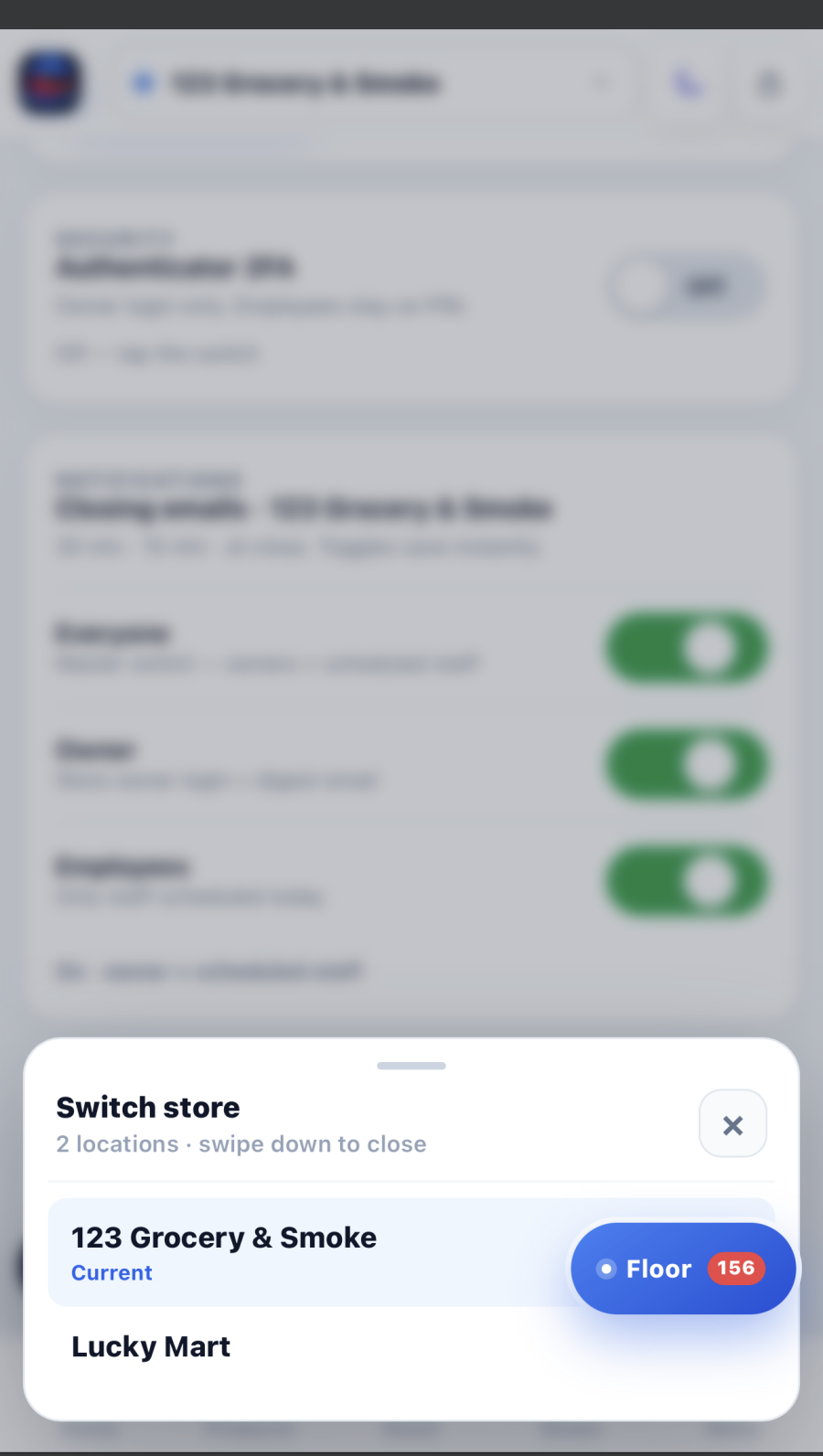
Step 01 · The split
Employees work. You watch.
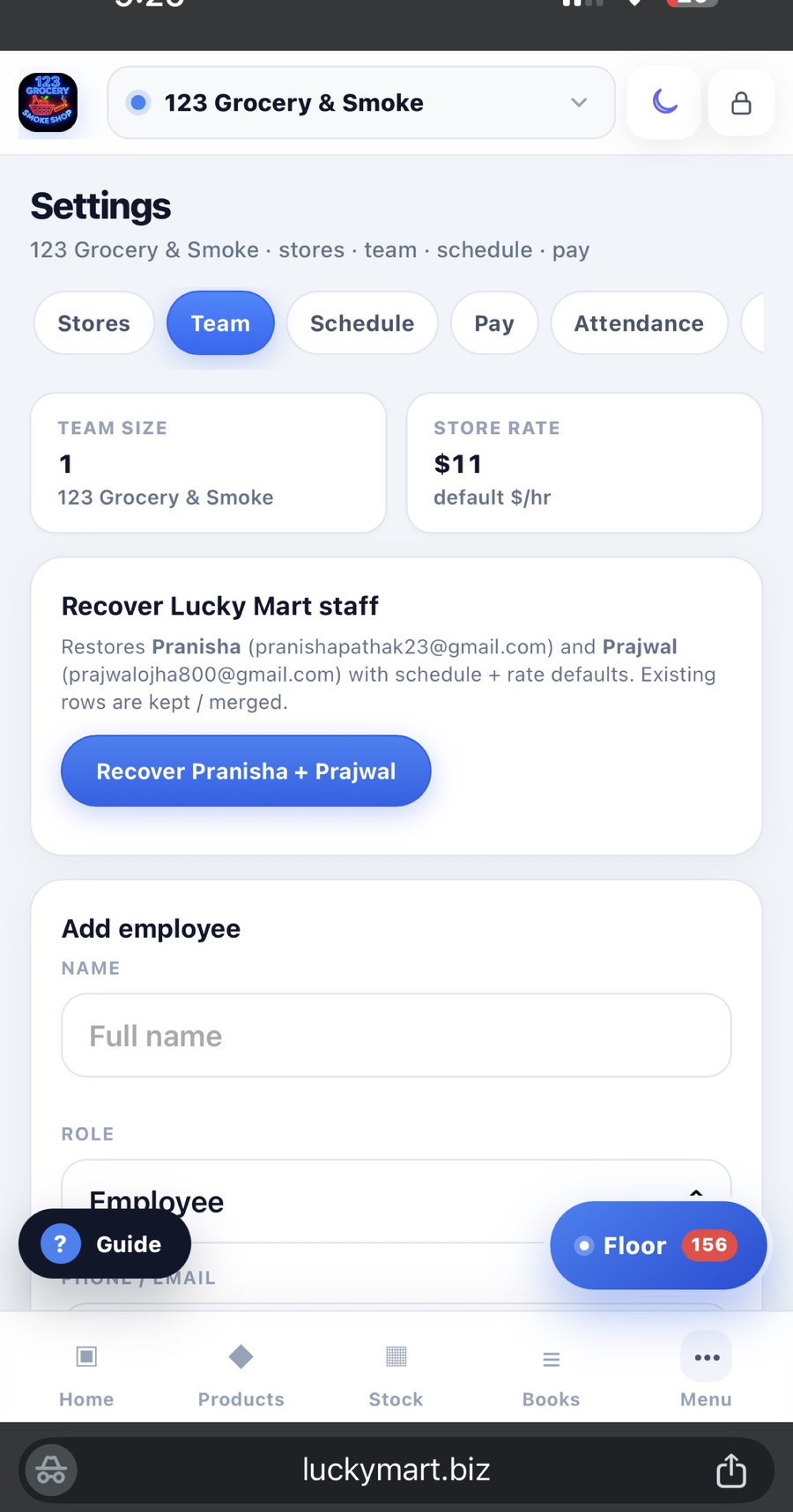
If every fact lives in your head, you cannot open store two. MR.STORE splits the job on purpose. Staff get Floor — limited access, their store, their shift. They clock in, mark What’s Out, scan the bill, update the catalog, write the handoff. They do not see payroll, owner KYC, or the other location’s drawer.
You keep the desk: ledger, reports, Product OS, Night Close review, the second store. The playbook is not “work harder.” It is “stop being the radio.”
Step 02 · Floor
Floor is the store radio.
WhatsApp mixes family, the beer vendor, and “who has the key.” The closer’s photo of an empty cooler dies in the thread. You find out when a customer asks for their drink.
Floor is one inbox for this store: team chat, staff/private, customers, What’s Out, tasks. The person on the register sees the same ticket the kitchen sees. Clock-in is from the floor, not a paper sheet that lies. The next shift opens Floor and sees what is still open. That is a handoff. “I told the next guy” is not.
Step 03 · What’s Out
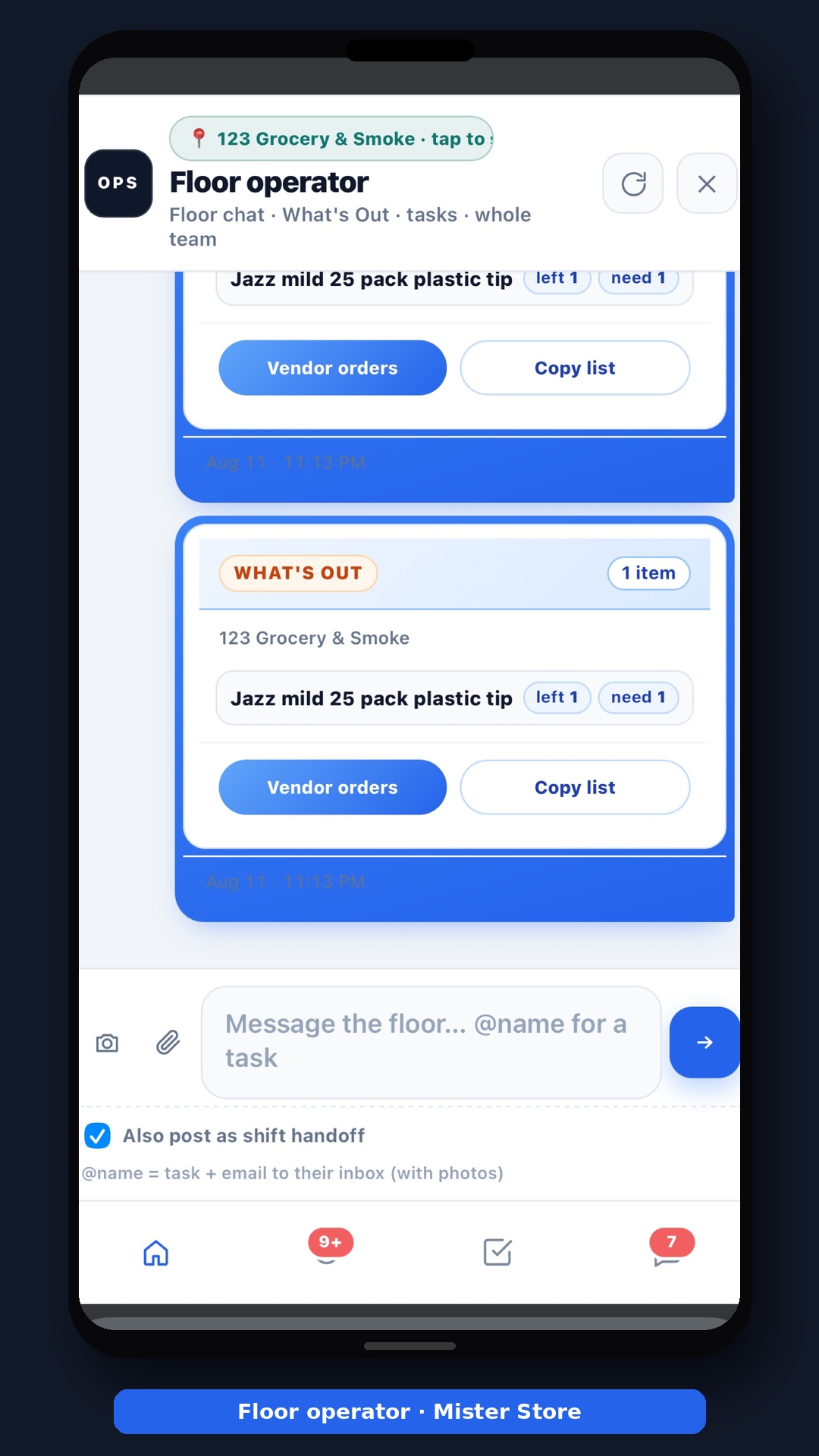
Empty shelf becomes the vendor list. Not a lecture.
The sales rep walks with their app. Their cases. Their minimums. You pay the invoice. What’s Out puts the list back in your hands. Staff type the hole while they walk the aisle. Left / need, by vendor, time-stamped. The rep fills your list. They do not invent it.
That same list is inventory. You do not retype it in the morning. What’s Out is the order.
Step 04 · Catalog · digital shelf
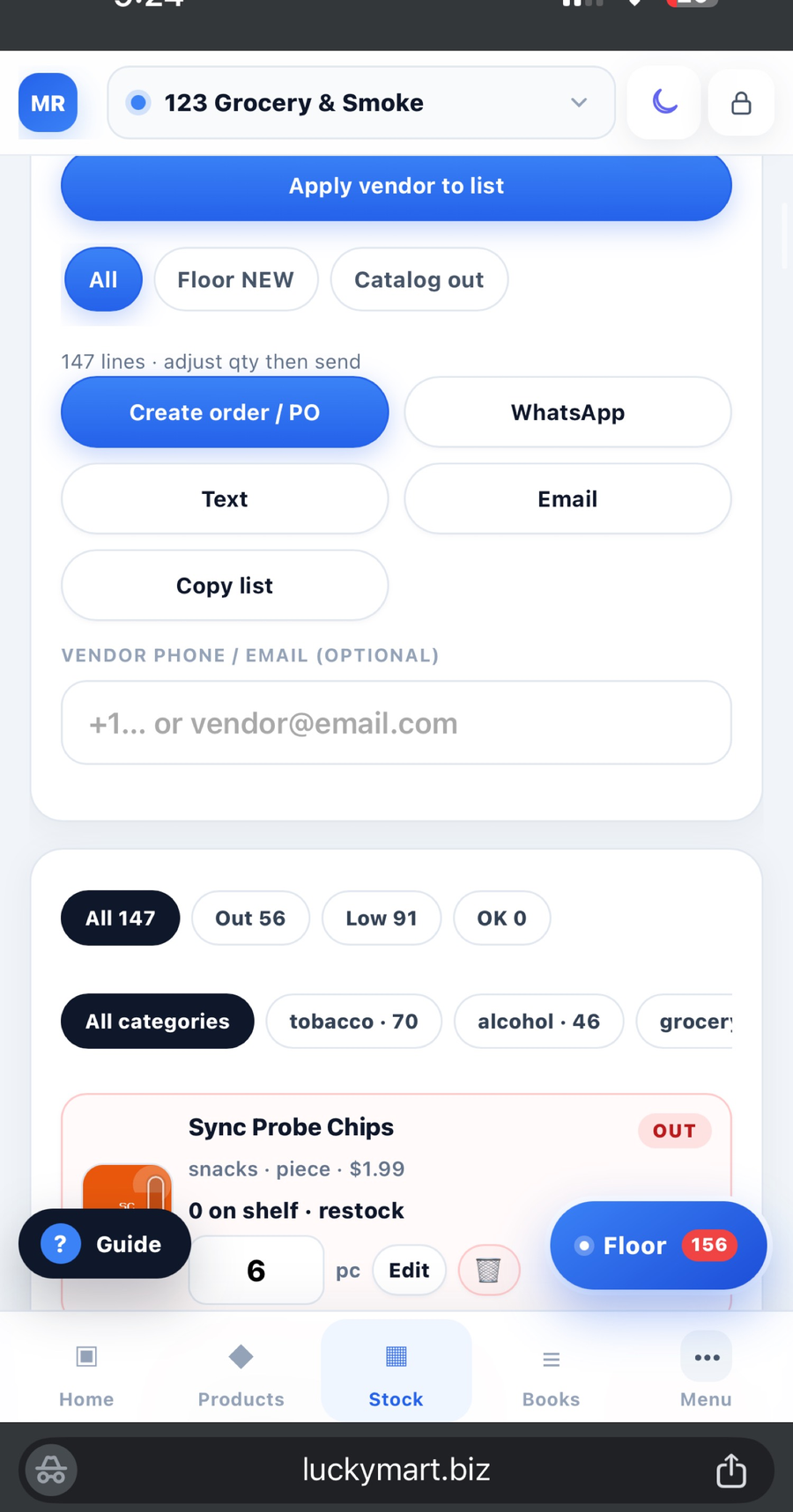
One name on the shelf, the list, and the bill.
A digital shelf is not a pretty grid. It is the same product identity everywhere: catalog, What’s Out, receive, Product OS, ledger. Staff scan the vendor bill on the dock. The vault keeps the bill. Price match lands. The shelf updates. If the name on the bill is not the name on the list, you will fight the extra case next month — and lose.
Stock stays store-independent. Lucky Mart’s cooler is not 123’s cooler. The catalog can be shared. The count cannot.
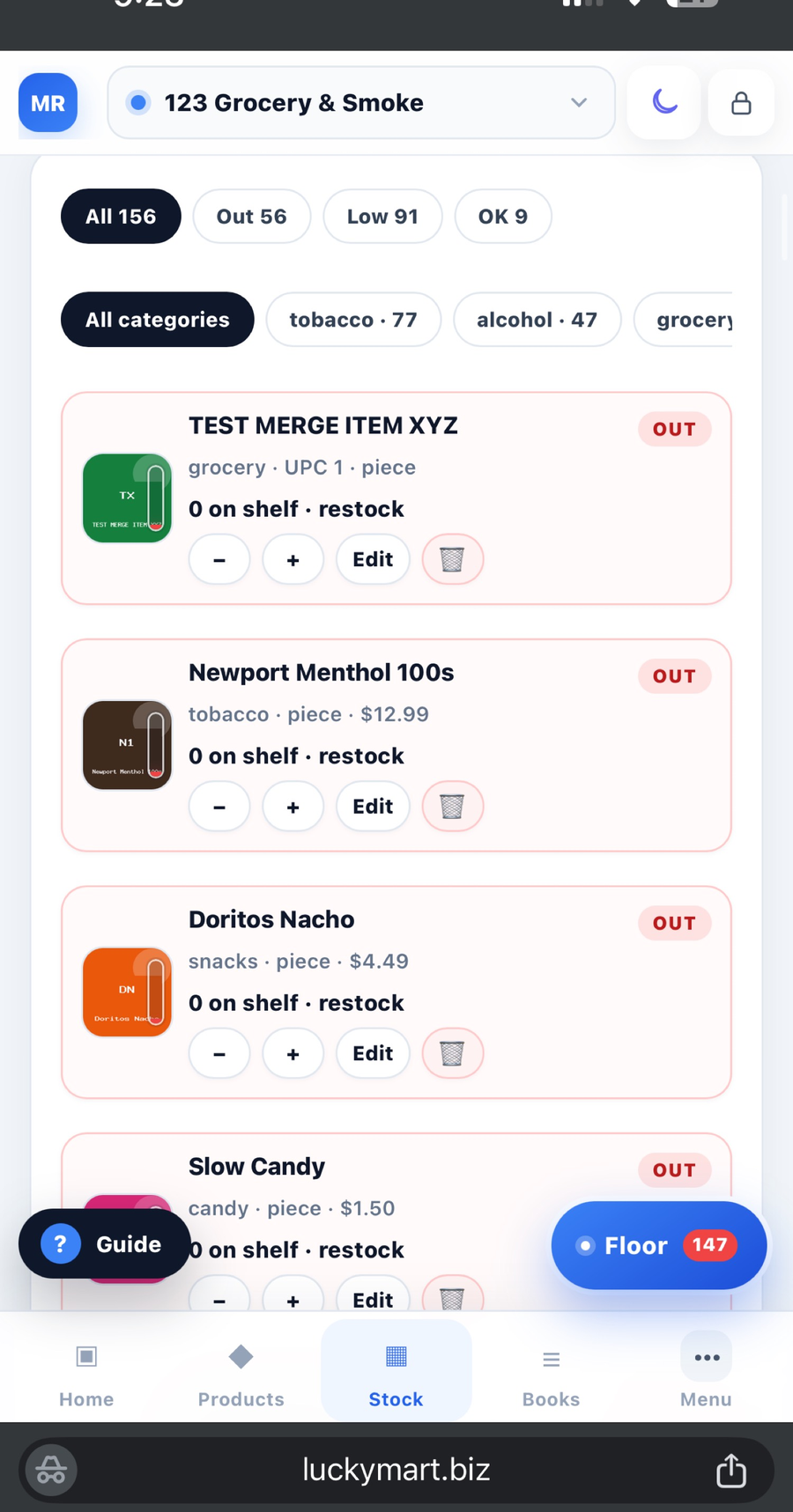
Step 05 · Product OS
Price and margin from the phone — one store or both.
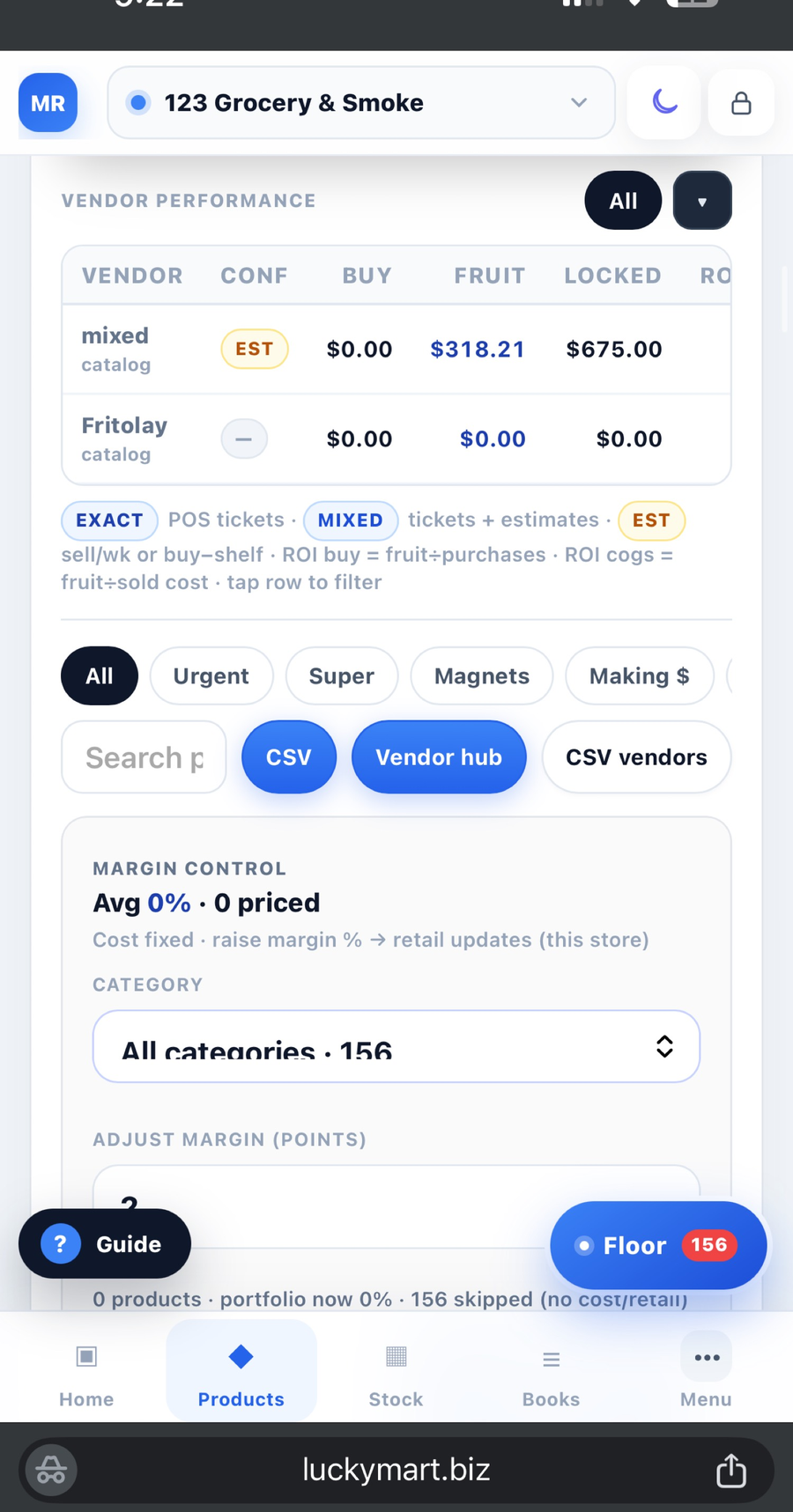
Product OS is where the owner touches money without standing in the aisle. Pick a store, or both. Change price or margin by product name or by category, once. Stock still lives per store. Price can be aligned so Store 2 is not a different business by accident.
Vendor margin tells you who is actually paying you. A padded book looks like a good week until the magnet says otherwise. Keep the rep. Fire the padded order.
Step 06 · Ledger
The book is a log, not a pile of paper in the corner.
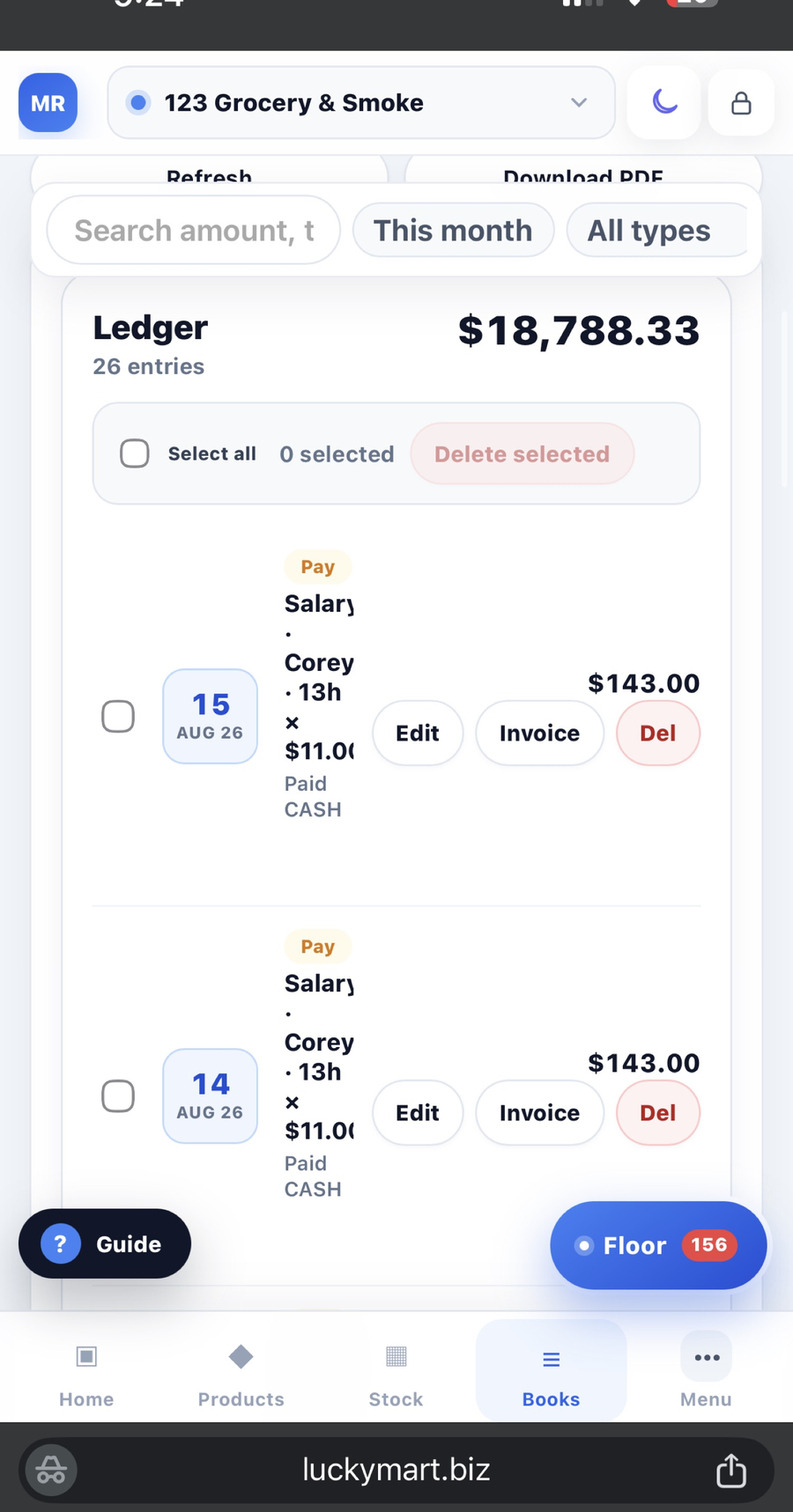
Sales, purchases, expenses, invoices, cash drops — they land in the ledger as they happen, not as a Saturday reconstruction. Staff can add the line they actually paid. You see the same book on the phone. Each store has its own ledger. A salary that posts on both books is a bug, not “close enough.”
Bill vault sits next to the book. The scan you did on the dock is the receipt you still have in six months.
Step 07 · Night Close
The closer finishes the day. You read it.
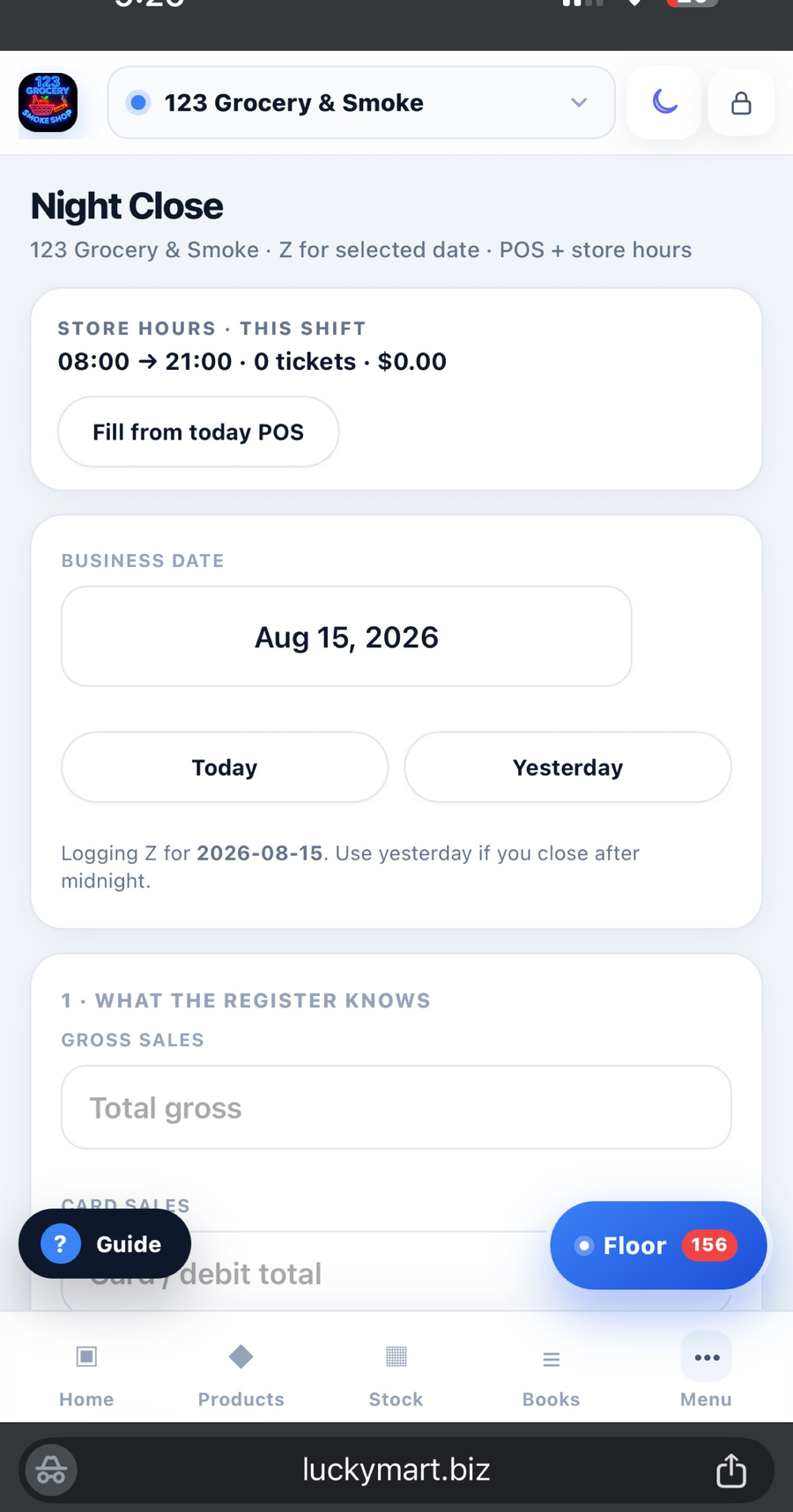
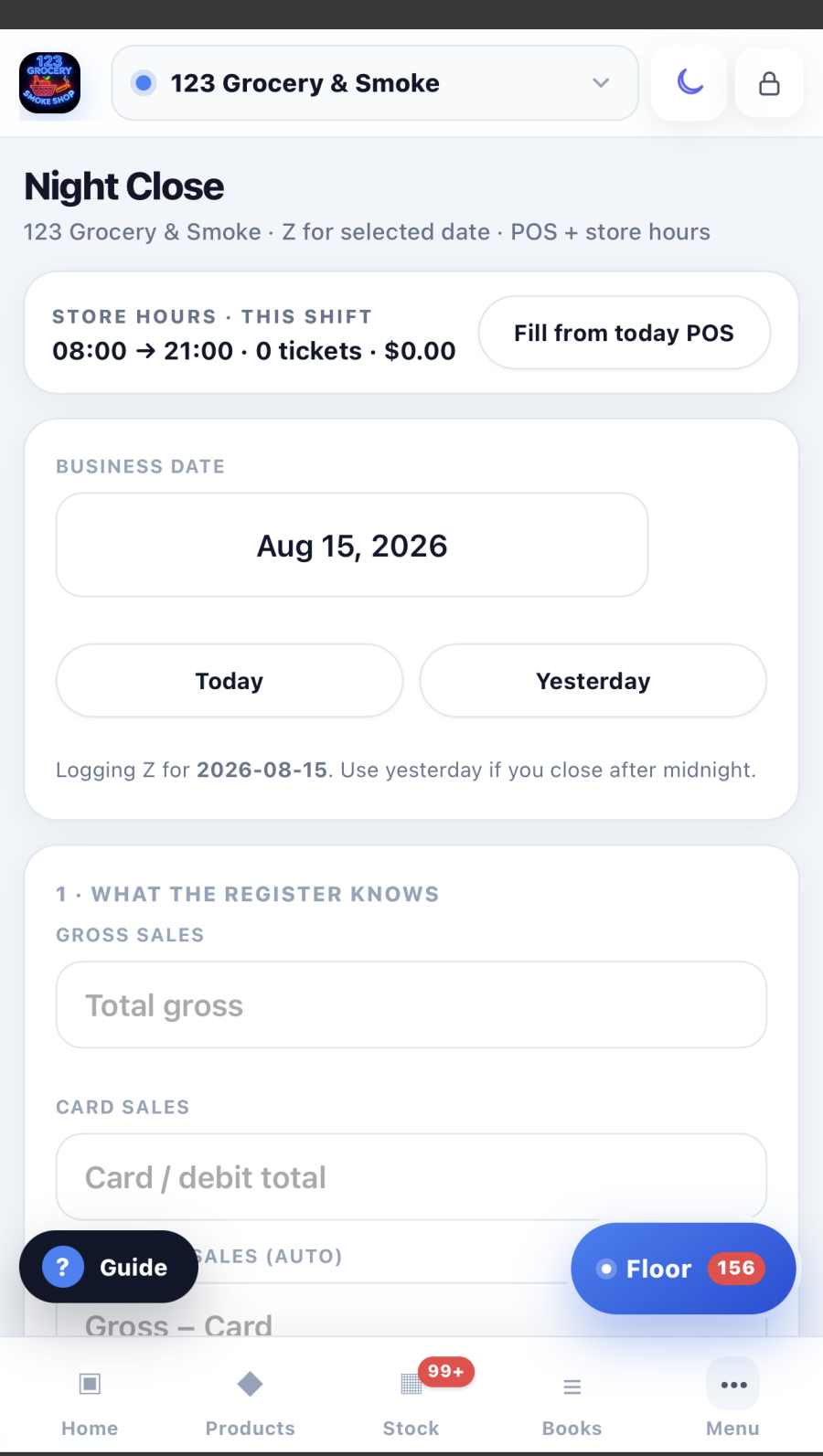
Night Close is the store day, ended: sales, cash, card, lottery, expenses, Log Z. Same order every night, standing at the register — not a back-office PC you drive to. If close is “whenever someone remembers,” you cannot see shrink, a bad drawer, or a bad week until it is already a bad month.
Give the closer the login. They submit Night Close. You open the report in the car. That is the loop that lets you own two stores without living in both.
Step 08 · Reports · the owner’s portfolio
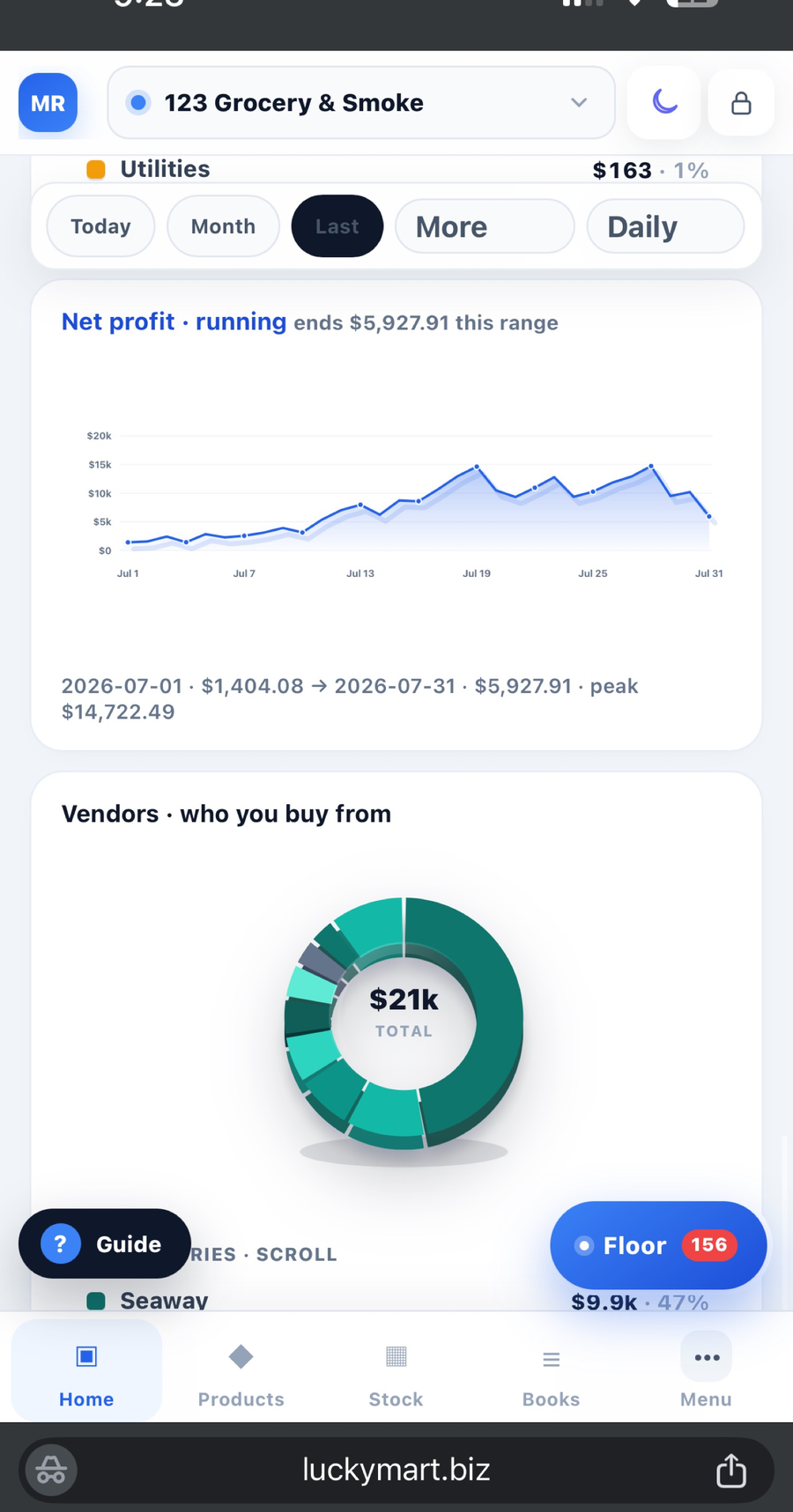
Today, tenders, vendors, profit — per store.
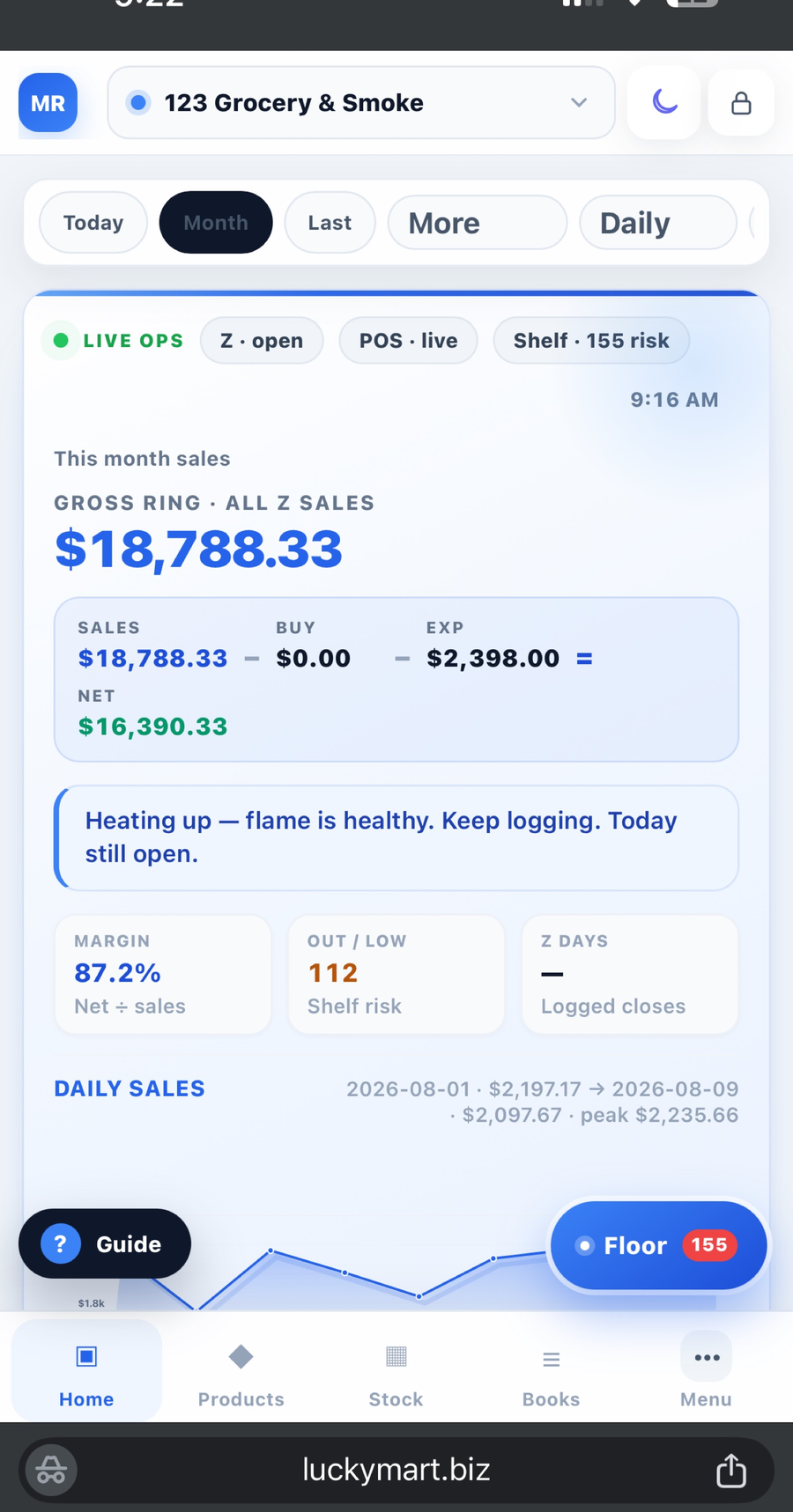
Overview is not decoration. It is the portfolio: today vs last month, cash vs card, who you buy from, the profit curve. Donuts and the month cards are the store talking. Switch Store 1 | Store 2. The report follows the door you picked. If the chart is the same on both stores, the switch is broken — and you will go back to yelling.
A real boss decides what to sell next from this screen. Not from a customer calling about a drink that died four days before the truck.
Step 09 · Two stores
One login. Two books. You are in the loop.
Pro includes two stores. Extra location is $9.99. Floor, stock, Night Close, and the ledger stay on the store you are looking at. Product OS can touch prices on each or both. You are not mixing drawers. You are not texting the closer at the other shop for “what’s left of the 30-pack.”
The old boss was lost in one gas station. You give employees MR.STORE access and sit in the car making the next call — what to sell, what to drop, which vendor stays.
Step 10 · Tonight
Start free. Add Floor when the team needs the radio.
Free is one store: ledger, Night Close, reports. That is enough to stop the paper pile. When the closer and the second key need their own login — Floor, What’s Out, catalog, clock, kitchen — that is Pro. Save the site to the Home Screen. Use it as the app. They run. You watch. That is a real boss.
Do it on the phone tonight. Books, Floor, catalog, Night Close, two stores — start free. No card.
Open MR.STORESwitch the door. Ledger, Floor, and stock stay on that store.
FloorStop running the store in group textsHandoffs and What’s Out belong on Floor — not in a chat with the vendor.
FloorHow Floor worksThe store radio. Staff chat, clock, What’s Out. You watch.
BooksNight close on a phoneZ, cash, card, lottery, drawer — one close at the register.